centos 7.6安装htop的超简单教程
centos htop安装,centos 7.6安装htop的超简单教程分享,今天在学习linux过程中需要安装htop,但是我在直接yum -y install htop之后,系统提示以下内容:
No package htop available.
Error: Nothing to do
我知道应该是没有安装成功的,但还是抱着侥幸的心理,输入htop命令,系统提示
[root@oldboy ~]# htop
-bash: htop: command not found
至此,最终肯定htop没有安装成功,于是就开始查找没有安装上的原因。
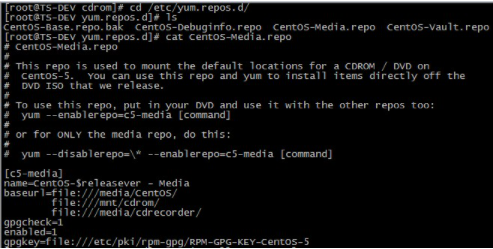
由于htop是一个扩展工具,是一个强大的进程管理前端工具,一般在centos系统源中没有,所以需要去fedora-epel(epel extra packages for enterprises linux 企业级linux扩展软件包)中下载。所以先安装 epel-release
1、 对应centos版本安装
centos 6
rpm -ivh http://dl.fedoraproject.org/pub/epel/6/i386/epel-release-6-8.noarch.rpm
rpm -ivh http://dl.fedoraproject.org/pub/epel/6/x86_64/epel-release-6-8.noarch.rpm
rpm -ivh http://dl.fedoraproject.org/pub/epel/7/x86_64/e/epel-release-7-5.noarch.rpm
安装好之后在安装htop ,这次没有报错
yum -y install htop
2、第二个解决办法
步骤一:yum install -y epel-release
步骤二:yum install -y htop
版权声明
本文内容由互联网用户自发贡献,版权归用户所有,本站不为本文内容承担相关法律责任。如有侵犯您的合法权利,请联系本站进行删除。